I figured choosing a choice cut from an epic DJ/Producer would be a good way to kick off this video game music based mini series.
Showing posts with label gameenthus. Show all posts
Showing posts with label gameenthus. Show all posts
Tuesday, April 9, 2013
Sunday, August 5, 2012
A terrible blogger.
My most humble apologies go out to my most dedicated of readers. (And to people who just happen to stumble upon this.) I am a terrible blogger. The number one rule of blogging is stay regular. (It should obviously be "Don't talk about blogging club", but its not.) I promised that I would blog more and I have, but I feel as if I haven't kept up as good as I should or could be, and for that I apologize. I do have my hands in many digital pots, but I feel like I have been neglecting own personal web space.
So, I will list all of the fun places you can find me at in addition to my rants as the OpenSourceNoob.
Self promotion will always make you feel better.
So, I will list all of the fun places you can find me at in addition to my rants as the OpenSourceNoob.
Self promotion will always make you feel better.
Wednesday, March 7, 2012
Precise Pangolin Preview- Ubuntu 12.04 Alpha
Ok, well that didn't take too long. I dug out my old hard drive, cleared everything off, and then went whole hog and installed the alpha version of Ubuntu 12.04.
Ubuntu 12.04 Beta 1 is out so I needed to post this asap.
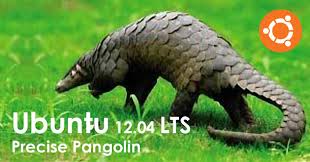
Right now the alpha will not fit on a regular cd rom for live cd usage. My Toshiba Satellite is old and does not recognize a usb stick on startup consistently so running a live usb stick was not an option. I found that there was a live-dvd option available and since I had a stack of dvds not burning themselves I figured I should take this opportunity to test my burner out. I also learned that my dvd burner only maxes out at 2x.
Here you can find the Ubuntu 12.04 LTS Precise Pangolin (Daily Build Images):
http://cdimage.ubuntu.com/daily-live/current/
Preliminary installation:
The Ubuntu installer looks and acts just as the most recent versions have, it prompts you to either try or install Ubuntu, and offers a few other maintenance items. Upon running the dvd the Ubuntu installer found that i had a my drive partitioned for Windows 7 and Linux Mint. It offered to install itself next to the systems or to wipe the drive and freshly install itself on the whole drive.
The installer comes with a few new features (not brand new, but still cool) like allowing you to connect to your network to download and install updates. This feature is a nice touch that allows you to skip the step of having to run a ton of updates right after you set the system up. Unfortunately, this feature didn't work out quite so nicely on my first run. I was prompted to set the computer name and password along with the timezone and keyboard setup, the installer basically took it from there. After a few loading screens the system installed about 70% before kicking out to a timeout failure. It was the simultaneous system updater that was causing the issues. I chalked this one up to “Its an Alpha”, as most of the updates I ran after getting completely up and running were quite hefty and prompted a lot of random bug errors (nothing serious, but frequent enough to be annoying).
Ok, so after that whole ordeal of figuring out why the install crawled to a halt I ran the installer again. This time I opted to skip the internet connected options and planned to install them after the system was up and running. The installer was still running pretty slow, but it was definitely faster than before and this time it didn't hitch up or error out. Welcome to Ubuntu 12.04.

Upgrade process:
Once you get into the system you are faced with many different opportunities to get connected, firstly- connecting to the internet. Once i got my wifi set up the updater started to do its thing. Its no wonder the installer crashed, there was about 300MB worth of update items for me to run. I let that run and tried to get setup as best I could amongst the random bug errors the updater was bringing up. Being an alpha, its expected that there will be bugs and errors and overall weirdness with the software. Most errors that the updater brought up for me were pretty random and didnt seem to hinder any processes for me anyway. Everyday I updated there were less and less errors brought to my attention.
Installing Key Programs:
As a podcaster and “chromepuff” I needed to install some software off the bat so that I could use Ubuntu 12.04 in my most natural setting. I wanted to install chrome and Skype, and to my surprise they were not in the software center. I was also surprised that the software center crashed on me quite a bit early on. I can’t blame the software center completely, Skype and Chrome were not in the software center! Now, I can’t say those pieces of software won’t make it into the store but their absence seems due to a certain Linux library, libxxs, being dropped from this edition. After a little bit of searching, I found out how to reinstall libxxs and was able to install and run Skype and Chrome with ease. Yay forums!
After getting my major programs out of the way I did have some issues with Libre Office, but I can say it was a rare case and after a few bug reports the issues were fixed. I run an external monitor to a laptop (with a failing screen), and it was this particular setup that caused Libre Office to crash on startup. Also, I learned how to properly run an external monitor to a laptop, it helps if you turn the laptop screen off in the settings. Protip: Older machines will have to run Ubuntu 2D mode when running a dual screen setup.
There isn't much really to say about 12.04 that is radically different as far as usage, its solid Ubuntu as usual. I skipped 11.04 and 11.10 because I didn't really like how Unity worked, it was a new concept and was better suited on a faster machine. It seems like they have pretty much ironed out all the kinks and have trimmed it down to run better on older machines (like mine). They did slash the settings page down to about four sections, making it a lot easier to find and tweak different hardware and software features. My only real gripe is that there’s no screensaver option now. I’m not sure why, but there isn't one in there and there doesn't seem to be a clear reason why. Maybe its a power consumption feature or something, I guess that's a good thing, but it is pretty weird.
Aside from those issues, most things installed fine from the software center- vlc and audacity downloaded, installed and ran smoothly. The basic desktop has definitely changed with Unity for the better; it seems like all of the ideas they came up with and started building on in 10.04 and refining in 11.04 are approaching perfection. It appears all the groundwork is there, and all that's left is polish for all of the possible PC configurations out there so everyone can experience the joys of Ubuntu.

Maybe next time:
Thoughts on the Windows 8 consumer preview.
Ubuntu 12.04 Beta.
Still living with the Cr-48.
I want an Android tablet.
Music:
music share link archive
download. upload. enjoy.
As Usual:
Follow me here: twitter, facebook, and google plus.
Check these out too:
enthuslife
opensourcenoob
the labs of crash
enthusreviews
our google currents magazine
Ubuntu 12.04 Beta 1 is out so I needed to post this asap.
Right now the alpha will not fit on a regular cd rom for live cd usage. My Toshiba Satellite is old and does not recognize a usb stick on startup consistently so running a live usb stick was not an option. I found that there was a live-dvd option available and since I had a stack of dvds not burning themselves I figured I should take this opportunity to test my burner out. I also learned that my dvd burner only maxes out at 2x.
Here you can find the Ubuntu 12.04 LTS Precise Pangolin (Daily Build Images):
http://cdimage.ubuntu.com/daily-live/current/
Preliminary installation:
The Ubuntu installer looks and acts just as the most recent versions have, it prompts you to either try or install Ubuntu, and offers a few other maintenance items. Upon running the dvd the Ubuntu installer found that i had a my drive partitioned for Windows 7 and Linux Mint. It offered to install itself next to the systems or to wipe the drive and freshly install itself on the whole drive.
The installer comes with a few new features (not brand new, but still cool) like allowing you to connect to your network to download and install updates. This feature is a nice touch that allows you to skip the step of having to run a ton of updates right after you set the system up. Unfortunately, this feature didn't work out quite so nicely on my first run. I was prompted to set the computer name and password along with the timezone and keyboard setup, the installer basically took it from there. After a few loading screens the system installed about 70% before kicking out to a timeout failure. It was the simultaneous system updater that was causing the issues. I chalked this one up to “Its an Alpha”, as most of the updates I ran after getting completely up and running were quite hefty and prompted a lot of random bug errors (nothing serious, but frequent enough to be annoying).
Ok, so after that whole ordeal of figuring out why the install crawled to a halt I ran the installer again. This time I opted to skip the internet connected options and planned to install them after the system was up and running. The installer was still running pretty slow, but it was definitely faster than before and this time it didn't hitch up or error out. Welcome to Ubuntu 12.04.
Upgrade process:
Once you get into the system you are faced with many different opportunities to get connected, firstly- connecting to the internet. Once i got my wifi set up the updater started to do its thing. Its no wonder the installer crashed, there was about 300MB worth of update items for me to run. I let that run and tried to get setup as best I could amongst the random bug errors the updater was bringing up. Being an alpha, its expected that there will be bugs and errors and overall weirdness with the software. Most errors that the updater brought up for me were pretty random and didnt seem to hinder any processes for me anyway. Everyday I updated there were less and less errors brought to my attention.
Installing Key Programs:
As a podcaster and “chromepuff” I needed to install some software off the bat so that I could use Ubuntu 12.04 in my most natural setting. I wanted to install chrome and Skype, and to my surprise they were not in the software center. I was also surprised that the software center crashed on me quite a bit early on. I can’t blame the software center completely, Skype and Chrome were not in the software center! Now, I can’t say those pieces of software won’t make it into the store but their absence seems due to a certain Linux library, libxxs, being dropped from this edition. After a little bit of searching, I found out how to reinstall libxxs and was able to install and run Skype and Chrome with ease. Yay forums!
After getting my major programs out of the way I did have some issues with Libre Office, but I can say it was a rare case and after a few bug reports the issues were fixed. I run an external monitor to a laptop (with a failing screen), and it was this particular setup that caused Libre Office to crash on startup. Also, I learned how to properly run an external monitor to a laptop, it helps if you turn the laptop screen off in the settings. Protip: Older machines will have to run Ubuntu 2D mode when running a dual screen setup.
There isn't much really to say about 12.04 that is radically different as far as usage, its solid Ubuntu as usual. I skipped 11.04 and 11.10 because I didn't really like how Unity worked, it was a new concept and was better suited on a faster machine. It seems like they have pretty much ironed out all the kinks and have trimmed it down to run better on older machines (like mine). They did slash the settings page down to about four sections, making it a lot easier to find and tweak different hardware and software features. My only real gripe is that there’s no screensaver option now. I’m not sure why, but there isn't one in there and there doesn't seem to be a clear reason why. Maybe its a power consumption feature or something, I guess that's a good thing, but it is pretty weird.
Aside from those issues, most things installed fine from the software center- vlc and audacity downloaded, installed and ran smoothly. The basic desktop has definitely changed with Unity for the better; it seems like all of the ideas they came up with and started building on in 10.04 and refining in 11.04 are approaching perfection. It appears all the groundwork is there, and all that's left is polish for all of the possible PC configurations out there so everyone can experience the joys of Ubuntu.
Maybe next time:
Thoughts on the Windows 8 consumer preview.
Ubuntu 12.04 Beta.
Still living with the Cr-48.
I want an Android tablet.
Music:
music share link archive
download. upload. enjoy.
As Usual:
Follow me here: twitter, facebook, and google plus.
Check these out too:
enthuslife
opensourcenoob
the labs of crash
enthusreviews
our google currents magazine
Saturday, October 16, 2010
So far so good...
Its been about a week since I've put Ubuntu 10.10 Maverick Meerkat on my laptop. So far so good. I have not run into any serious problems, but I have had minor issues with the updating system. It seems that it has since worked itself out, but I was having some weird problem downloading packages from a repository. It seems to have been something that was not a problem I caused since it ironed itself before I posted this. My only other issue has been that my power button goes wonky, but it seems that it was part of the problem that has worked itself out. It wasn't the actual hardware button on my laptop- I just mean the power icon in the corner of the screen... The section where i can look at the calendar and the sound options and such were blending together over the power icon and i couldn't click on it or anything like that. My small project at the moment now is trying to get my computer to play nice with my systems at work (secured Windows servers) so I can work from home if I have to. Citrix is being a bit of a pain. Earlier in the year I managed to get everything to work in Karmic but I did not bother to document the process I went to to get it to a working state. Other than those minor issues... things have been going very well with this distribution.
In other news, I sat in on a panel to discuss video game culture. If you have an interest in Linux as well as video games check out the website at GameEnthus.com. The podcast returns every week to discuss video game news, interesting technology, and life in general. I went on to talk up Ubuntu a bit as well. There were some technical issues dealing with microphones and quality and such but Audacity and Skype did pretty well on Ubuntu during crunch time. My wife is still enjoying Linux Mint 9 on her Dell Mini 10, so far no real issues or achievements to write about this time around. I am still kicking around the ideas for my android app and i know that time is of the essence, so once i get the android app inventor back up and running in this machine ill be able to get back to working on it.
Thats it for this post, but I do want to pimp some links for your amusement.
Games:
Here I am on the gameenthus podcast.
Enjoy Mommy Best Games.
Music:
Check out Anjibee, this week full of free tracks... support those artists.
Enjoy.
Subscribe to:
Comments (Atom)